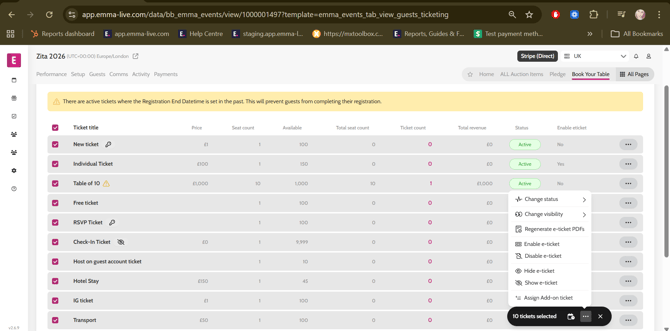
- Go to All Pages > Ticketing
- Select the required ticket types > click on ‘…’ on the black bulk action pill
- Click on the required bulk action:
- Change status
- Change visibility
- Regenerate e-ticket PDFs
- Enable/Disable e-tickets
- Hide/Unhide e-tickets
- Assign Add-on ticket