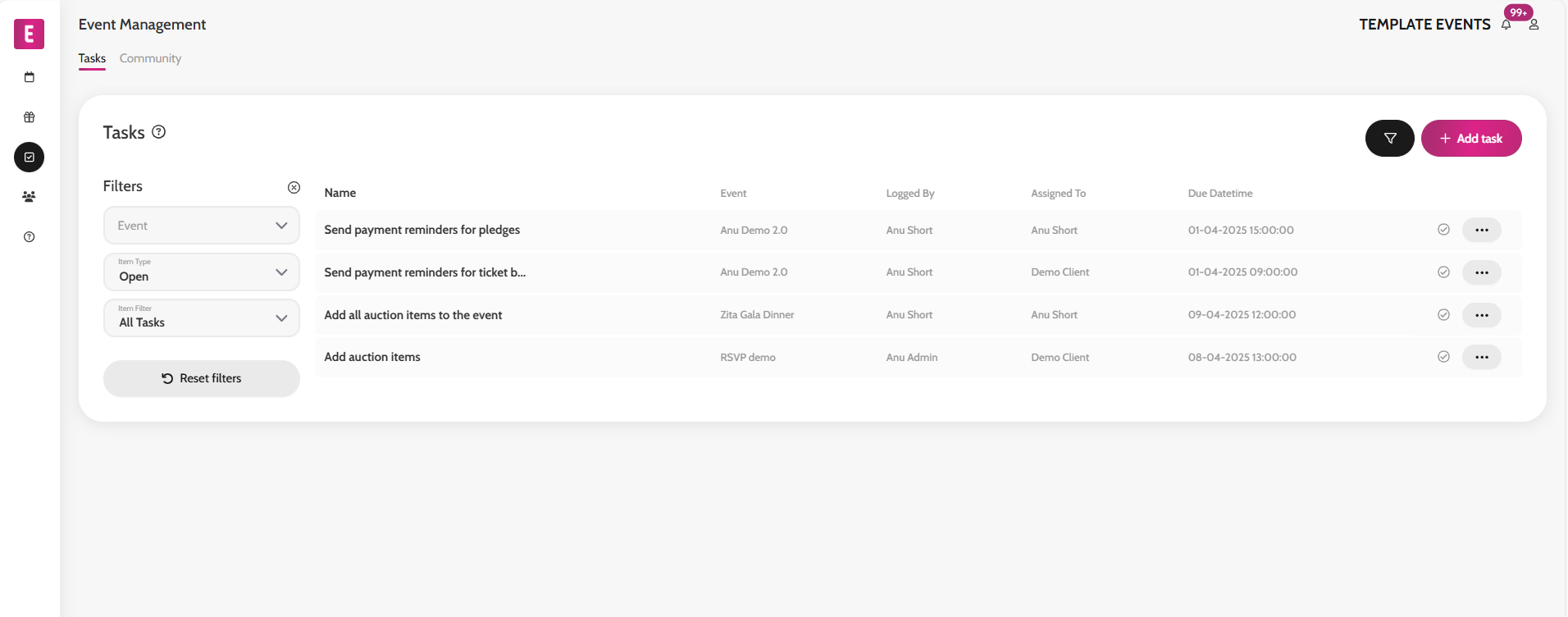
- Go into Event Management on the lefthand menu on Emma backend
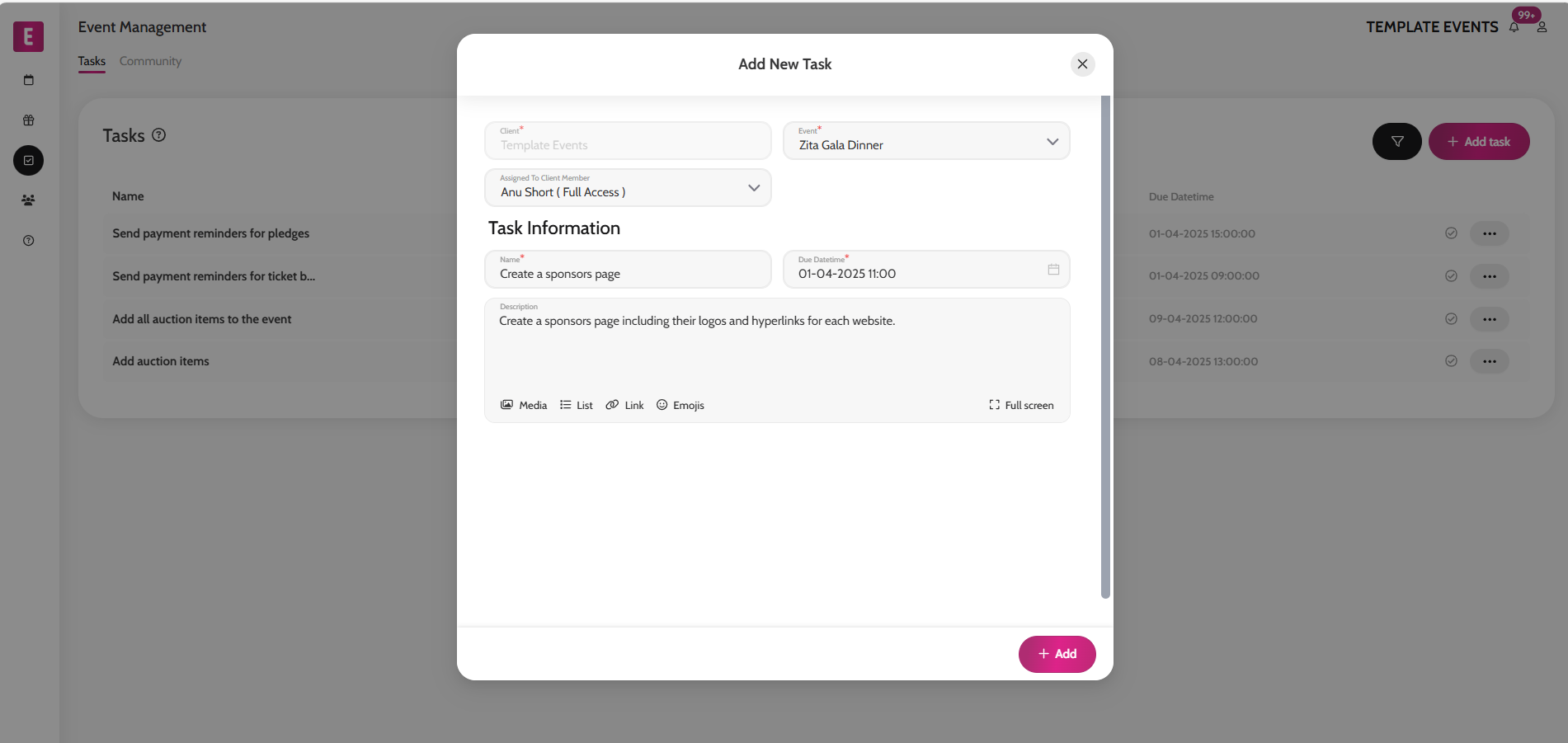
- Click on Add task to create a task for yourself or, if you have Full Access, for a team member, linked to any event on your account
- Choose the event (and if applicable, also the team member)
- Name your task and add a date for it
- Optionally, add a description with further details
- You can mark tasks complete by clicking the grey circle with a tick next to the task
- Click on the three dots ‘…’ to view, edit or delete a task
- Use the Filter function, located to the left of the Add task button, to filter tasks by event, team member or item type
Adding a task
Filtering tasks