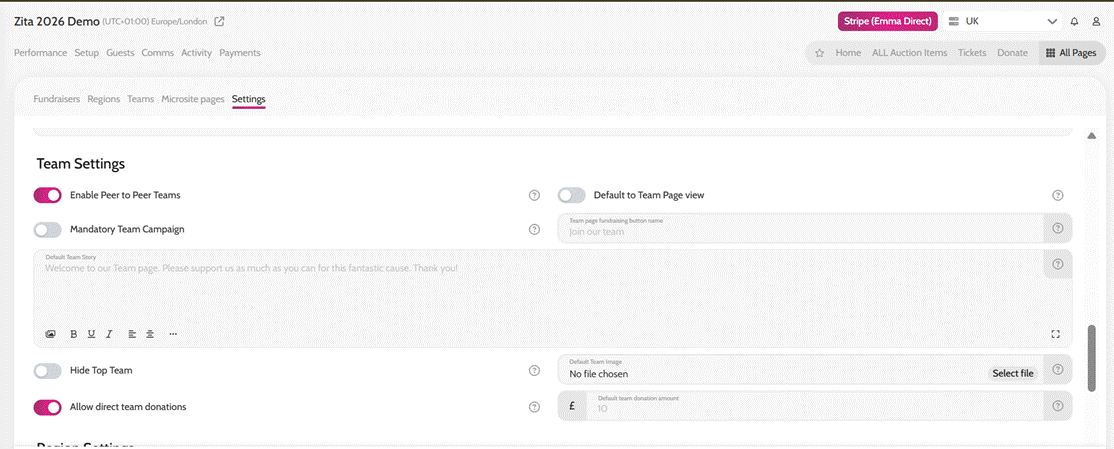
- Make sure the Enable Peer to Peer Teams toggle is enabled under Peer to Peer Fundraisers > Settings > Team Settings
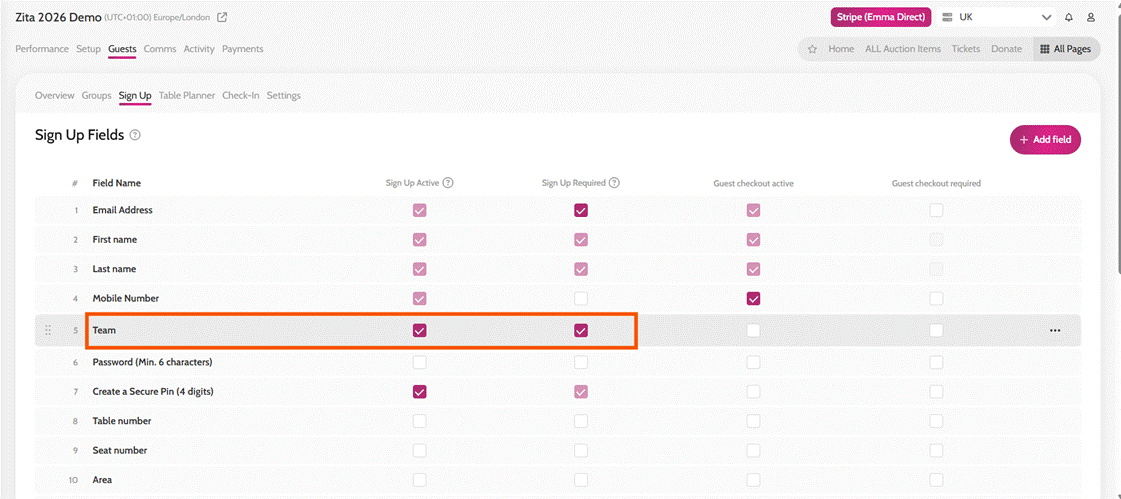
- Go to Guests > Sign Up
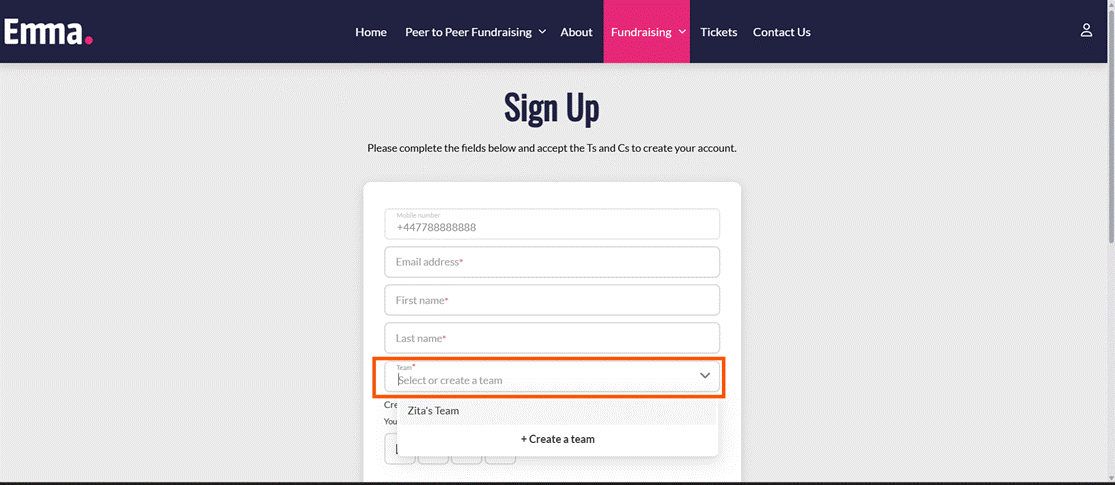
- Enable the Team field under the Sign Up Active column and Sign Up Required column (if you need it to be a mandatory field)
- Click Save
Enable Peer to Peer Teams
Adding Teams to Sign up