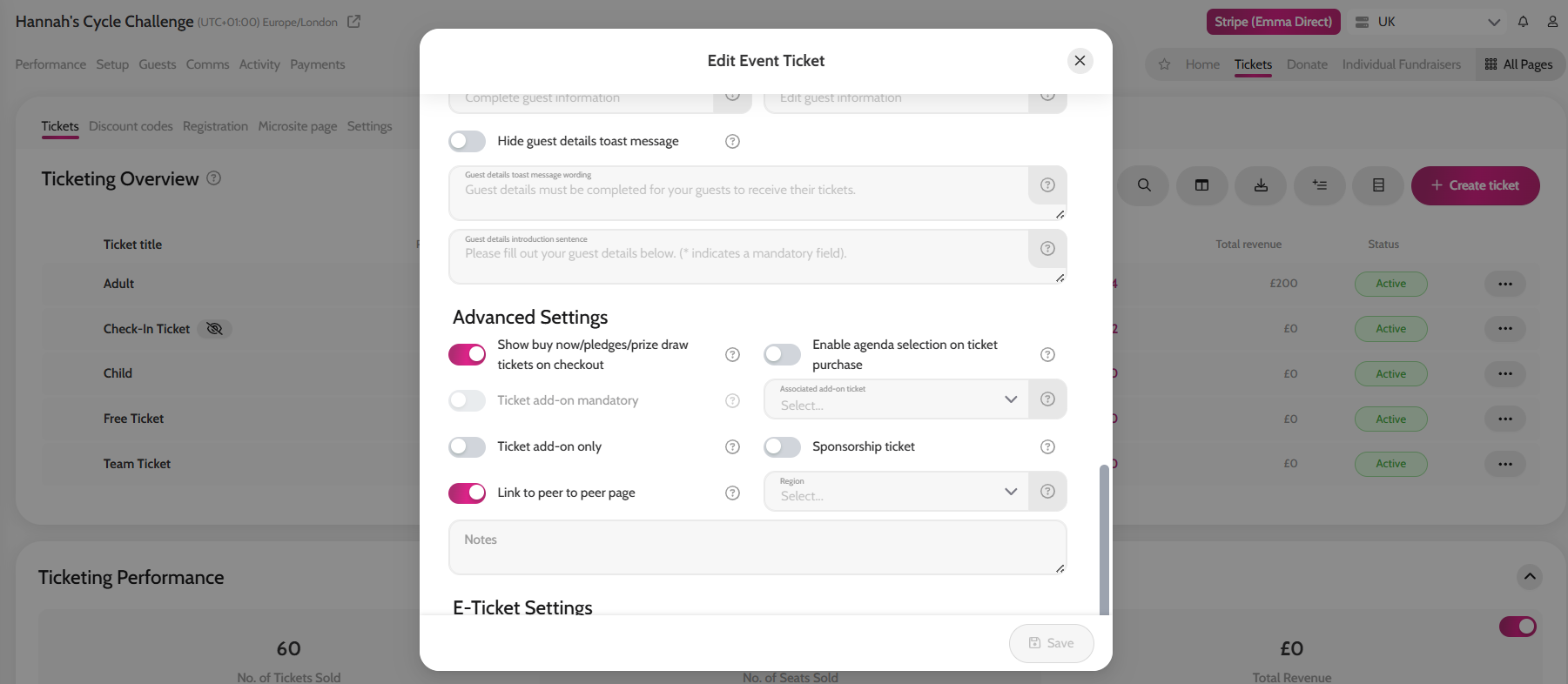
- Create a ticket type, please see article here.
- When creating your ticket, scroll to General Settings and toggle on Link to peer to peer page.
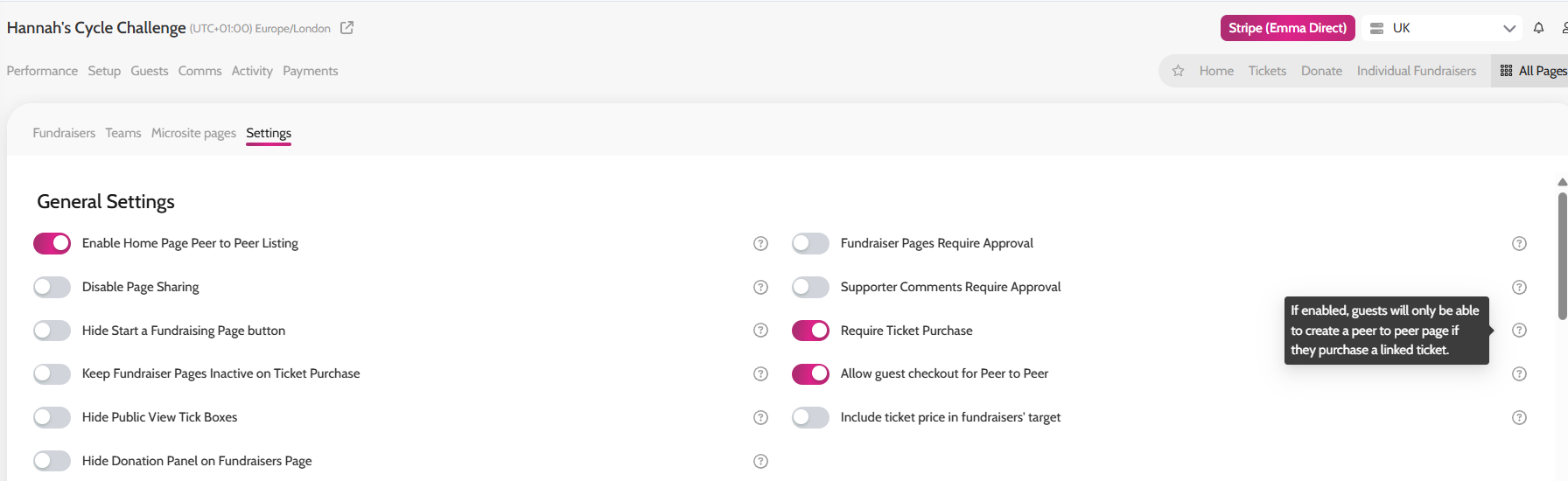
- Next, go to All Pages > Peer to Peer – Fundraisers > Settings.
- In Settings, toggle on Require Ticket Purchase.
*When a guest purchases a ticket, they will be sent the comms titled ‘Event Ticket Confirmation – Peer to Peer Page Linked’. This email includes a button link, directing the guest to set up their fundraising page.
*If a guest goes to click Start a Fundraising page on the site, and hasn’t yet bought a ticket, they will be directed to the tickets page automatically.
Linking a Ticket to Peer to peer Page
Enabling ‘Require Ticket Purchase’ to set up a peer to peer page