
- Go to All Pages > Leaderboard
- Click to expand Settings - Targets & Countdown
- Add in your Pledge Target > click Save
- Click to expand Elements
- Click on Add element
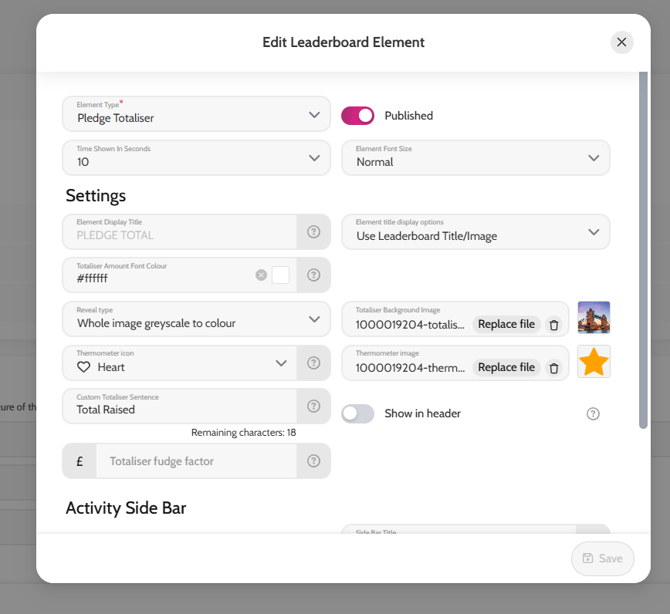
- Choose any of the Totalisers as the Element type
- Within Settings you can either choose to add a background image and choose the Reveal type Whole image greyscale to colour or add a thermometer image and choose the Reveal type Centralised Icon black to transparent
- Choose the icon you like and amend the title wording if you wish
- Click Create
Whole image greyscale to colour example

Centralised Icon black to transparent example