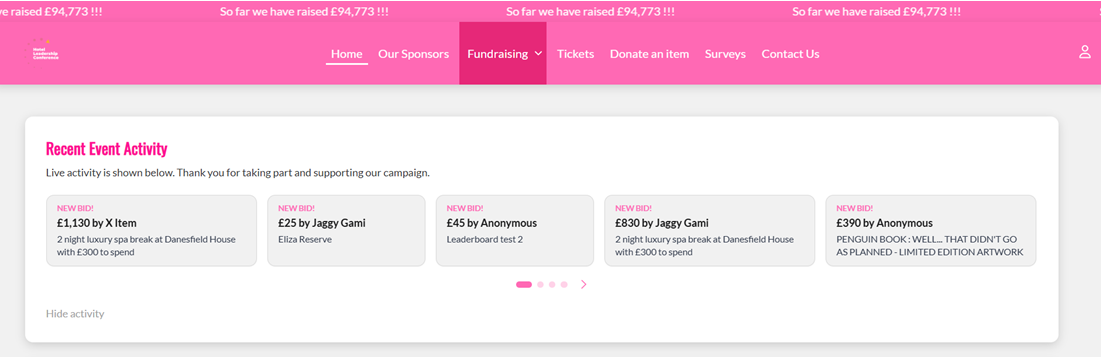
- Go to All Pages > Home
- Add page elements and click + Dynamic Content
- In the Dynamic Content field, select Event Activity Ticker from the dropdown list
- You can adjust the wording that appears in the content box if you wish, with information about the charity or campaign
- Click Save Changes
Adding the Dynamic content element
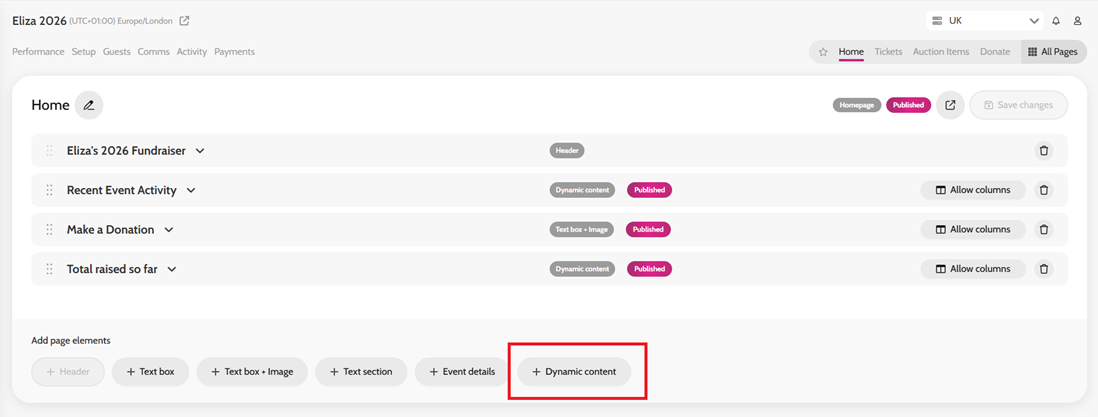
Selecting Event activity ticker in the Dynamic content field
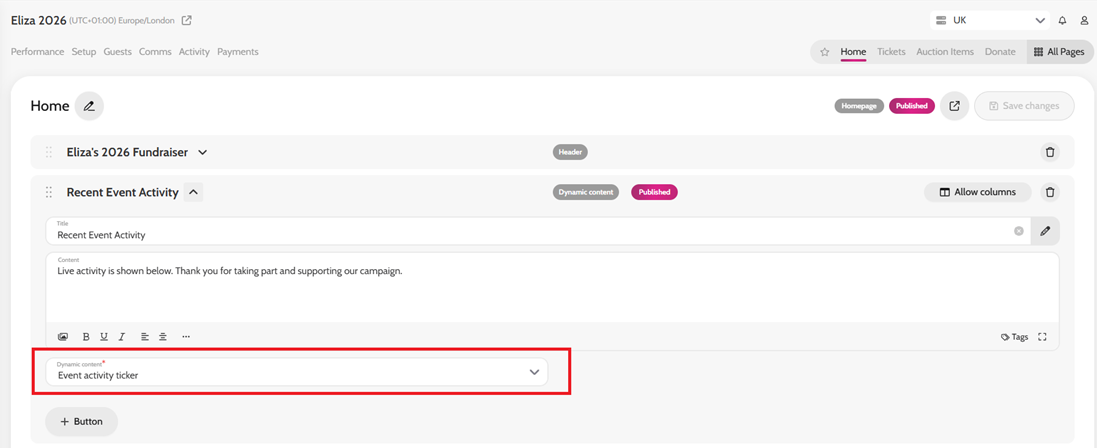
Example of Event activity ticker on the homepage