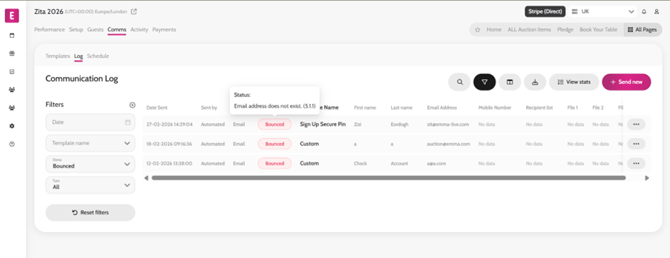
Failed Communication Status Should a communication email or SMS fail, the reason for the failure is now displayed so you can take the necessary action to correct it. To see the communication status, follow the steps below: Go to Comms > Log Filter by Status (e.g ‘Bounced’) Click on the status pill to see the reason of the failed delivery