- Go to Comms > expand "Auction" section
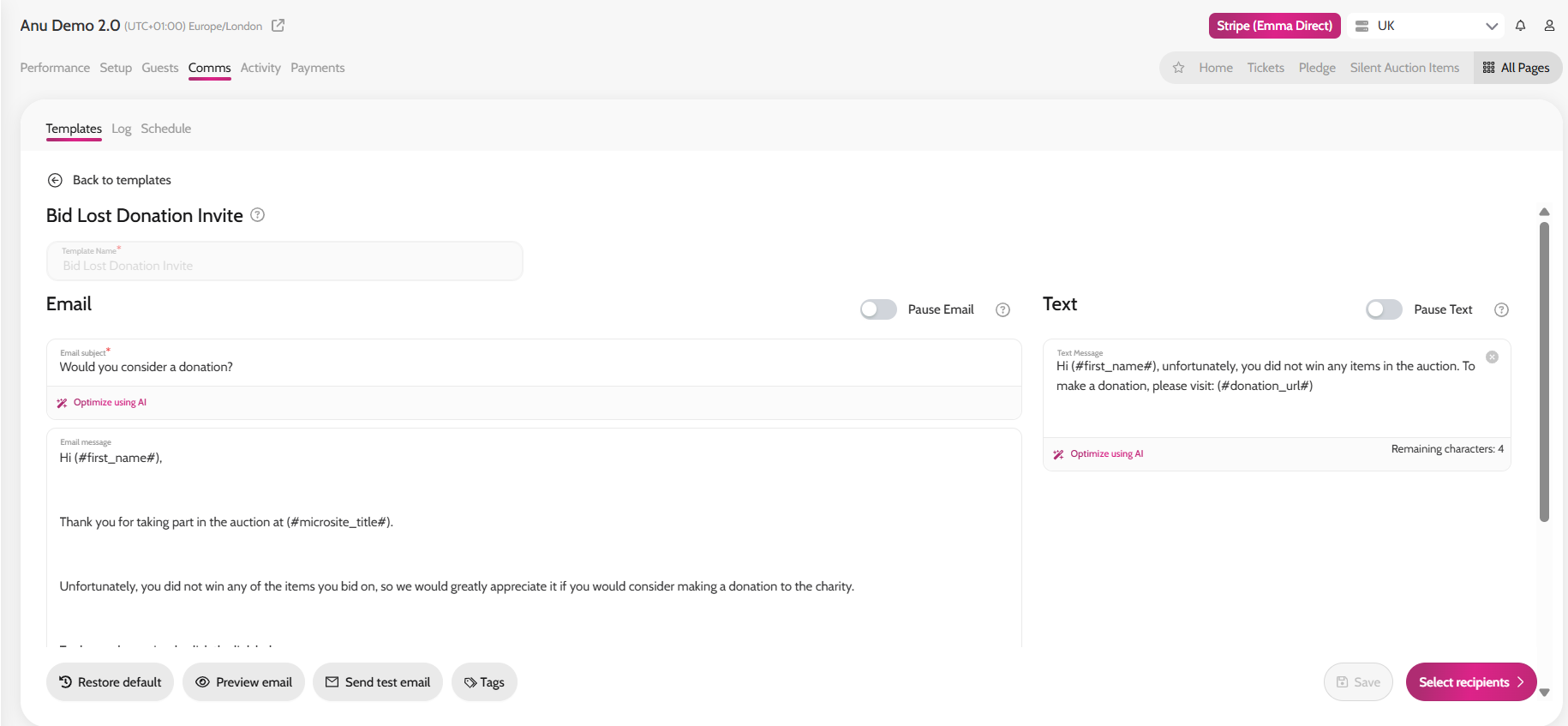
- Click on Bid Lost Donation Invite
- Amend the email and/or text message if desired
- Click on Select recipients
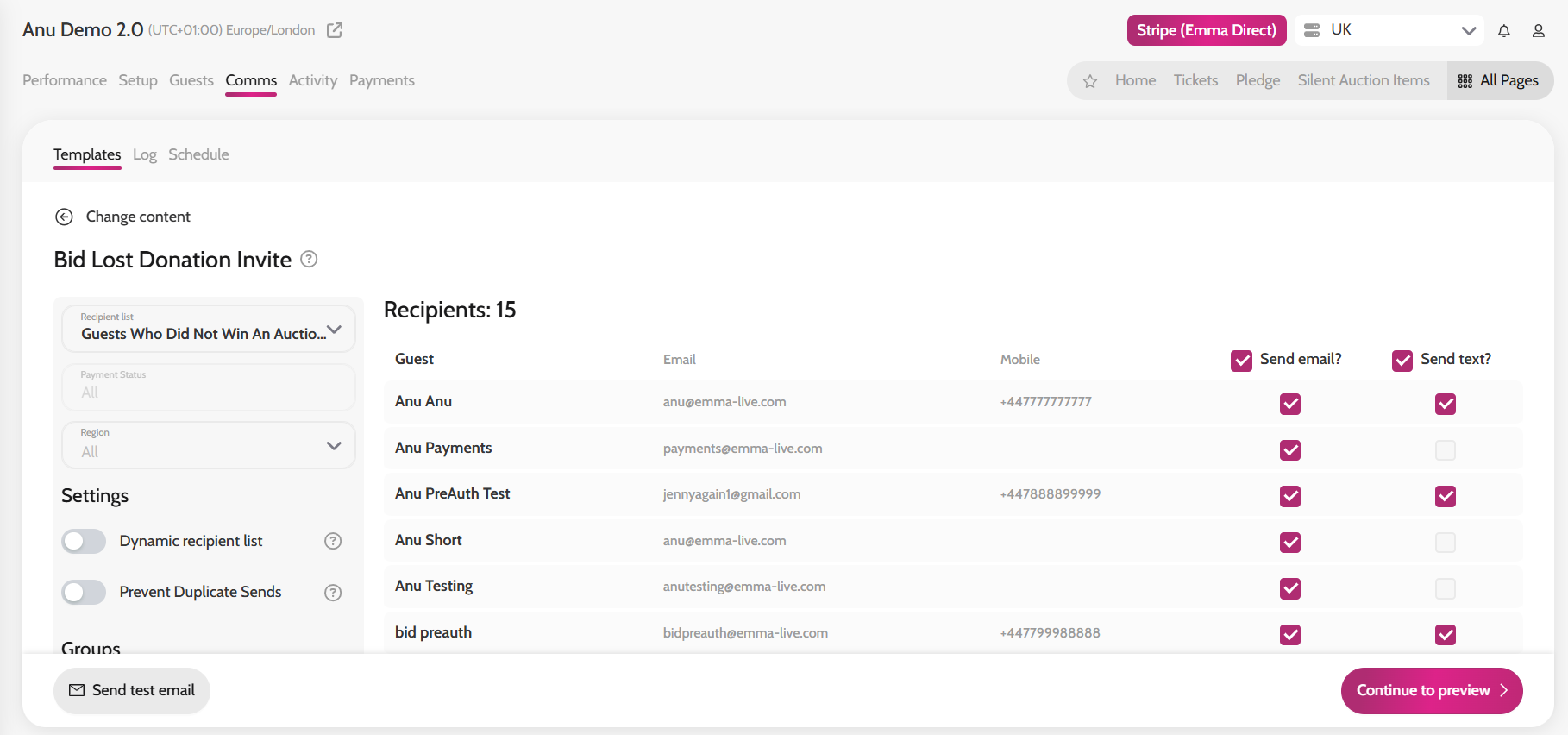
- The system will automatically choose the correct recipient list which is "Guests Who Did Not Win An Auction Item"
- If you need to de-select anyone, do so before clicking Continue to preview
- Click Send