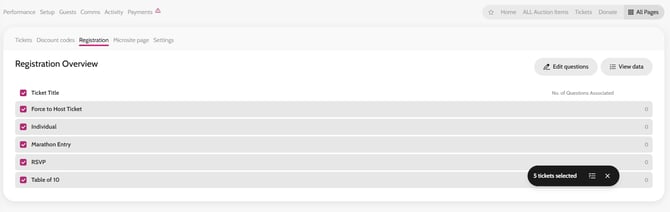
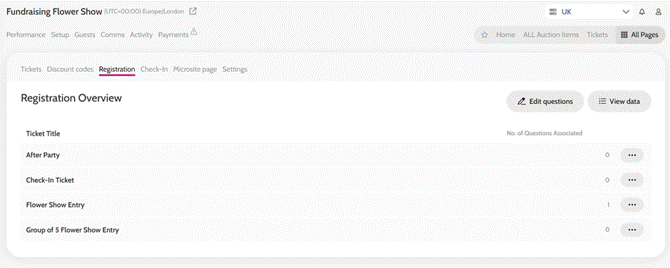
- Go to All Pages > Tickets > Registration
- Click on Edit Registration Questions
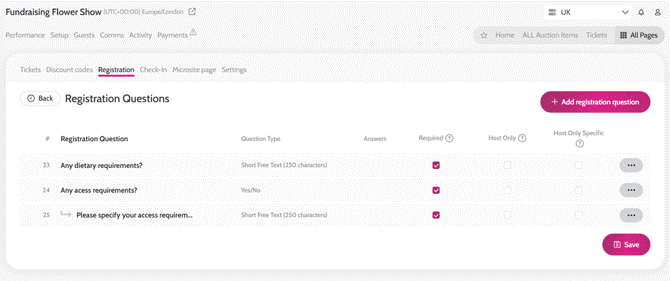
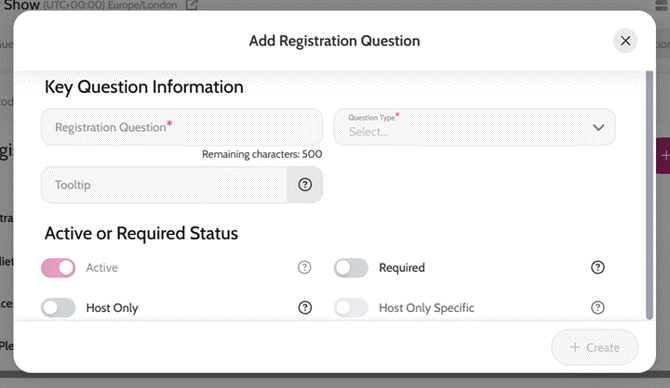
- Click on Add Registration Question
-
- Add in the question, type of answer, a tooltip if needed and choose whether it's an active or required question (mandatory to complete)
- You can also choose to show the question for host only (ticket purchaser) on each of the tickets or only on the ticket the Host assign to themselves (host only specific)
Add in all your questions here (doesn't matter which ticket type you want to assign them to)
-
- Once you have added all your questions, click on the back button on the top left
- Tick the Bulk action box (next to Ticket Title), to select all the tickets that you want to add registration questions for
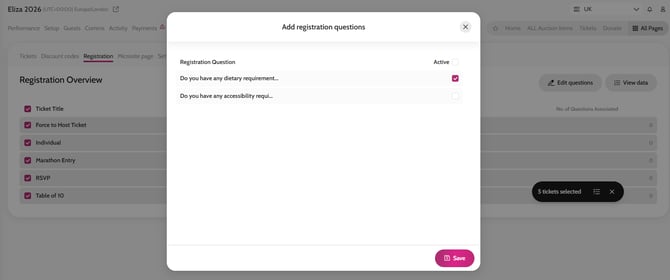
- Select all the questions for this ticket/s under the active column and click save
The questions will now show for the ticket holders in their 'Your account' section under tickets.
Creating Registration Questions
Using the bulk action tool to assign Registration Questions to Ticket Types