- To enable recurring donations on your donation page, follow the steps in the help article here
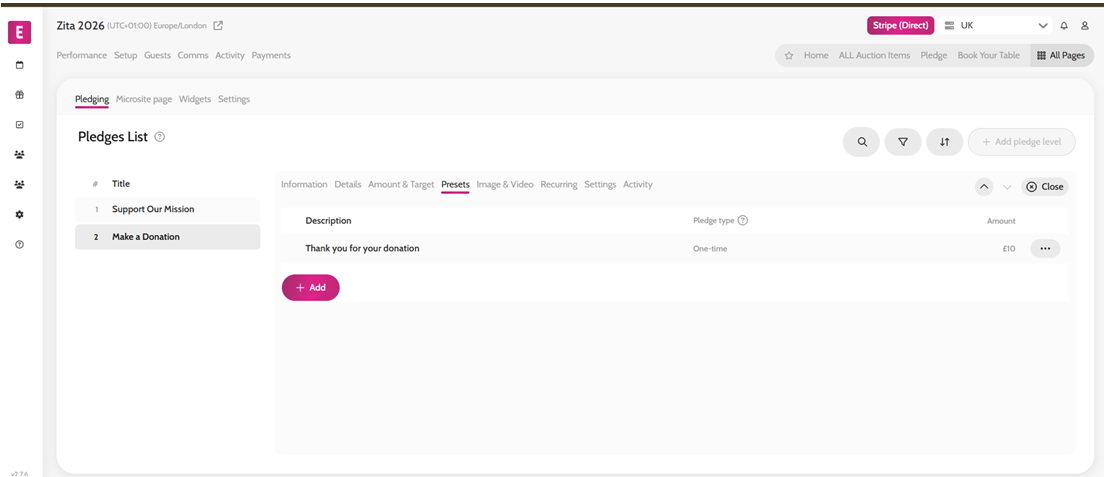
- Go to All Pages > Donation page
- Click the Presets subtab
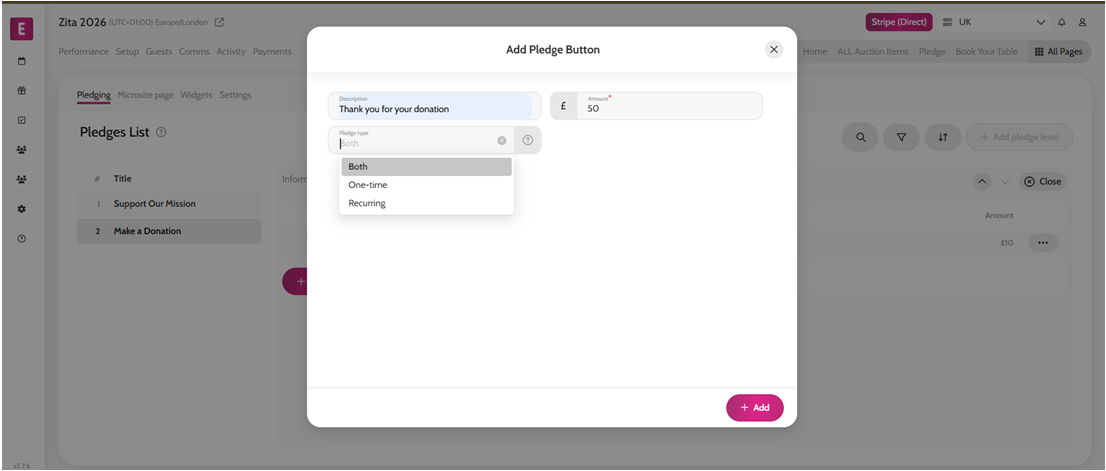
- Click + Add
- Add Description and Amount
- Select the Pledge type – this can be for the One-time donations; Recurring donations or for both
- Click + Add
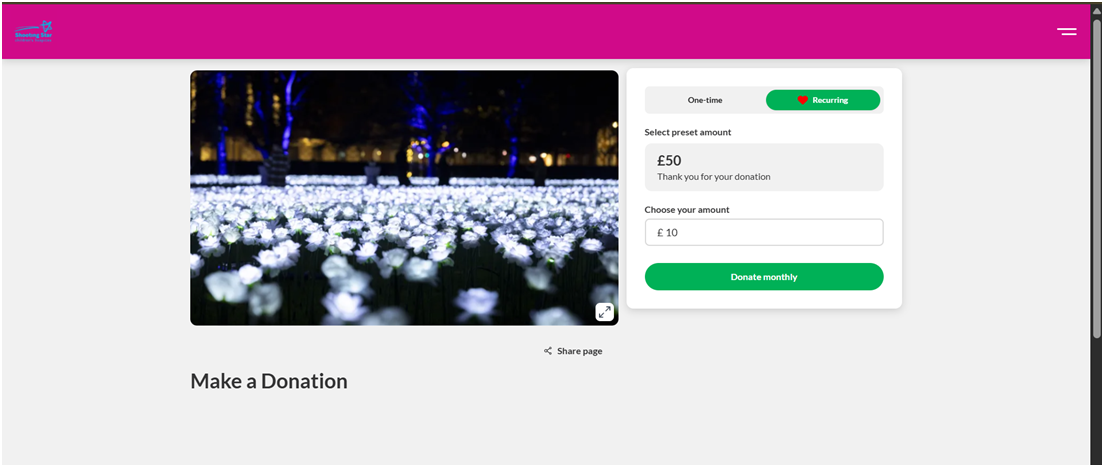
- Refresh the microsite to see the changes applied
Adding pre-set buttons to the recurring donations