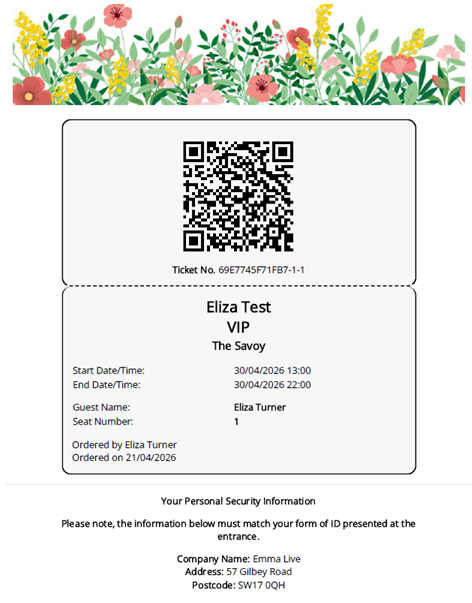
This functionality can be used for high security events where info such as Full ID Name, Address etc. needs to be displayed on the event ticket
- Firstly, to create your E-ticket, see our help article here.
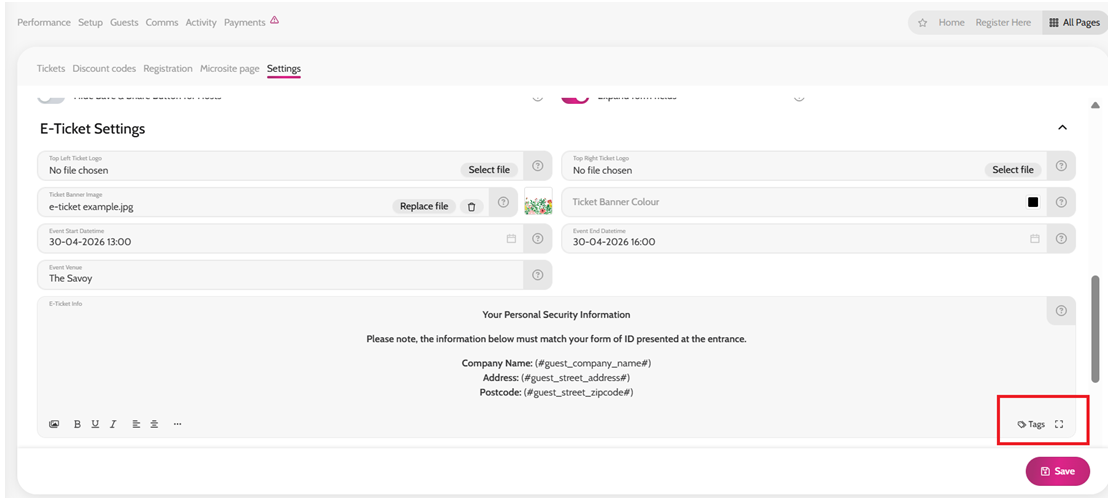
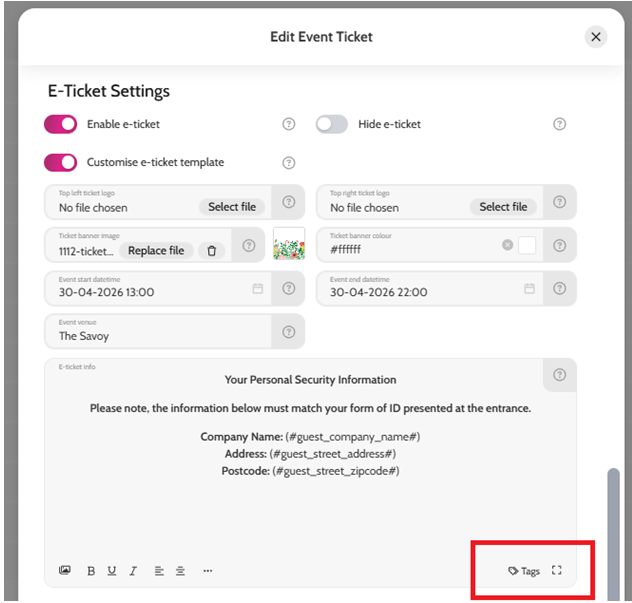
- In the E-ticket info section (either on the ticket itself, or in Tickets > Settings for all E-tickets) click Tags
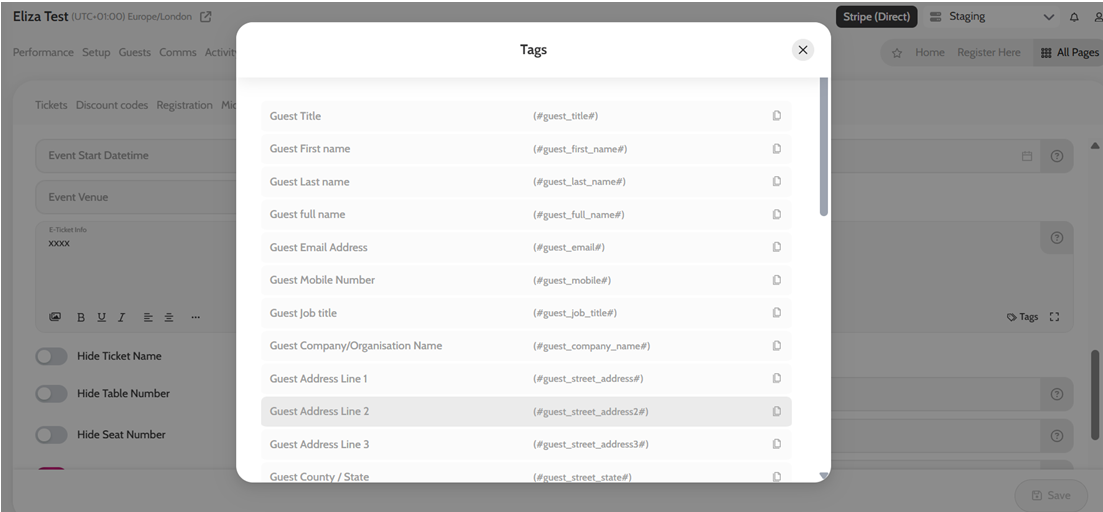
- You will see a list of tags that pull through guest-specific information from sign up or registration questions
- Click the copy icon, on the tag you would like to use
- Paste the tag into the E-ticket info section
- Add any additional text and click Save
The guest’s unique information will now show on the e-ticket in place of the tags.
Adding Tags to your e-ticket information
List of Tags available, including Sign Up and Registration fields
E-ticket using Tags