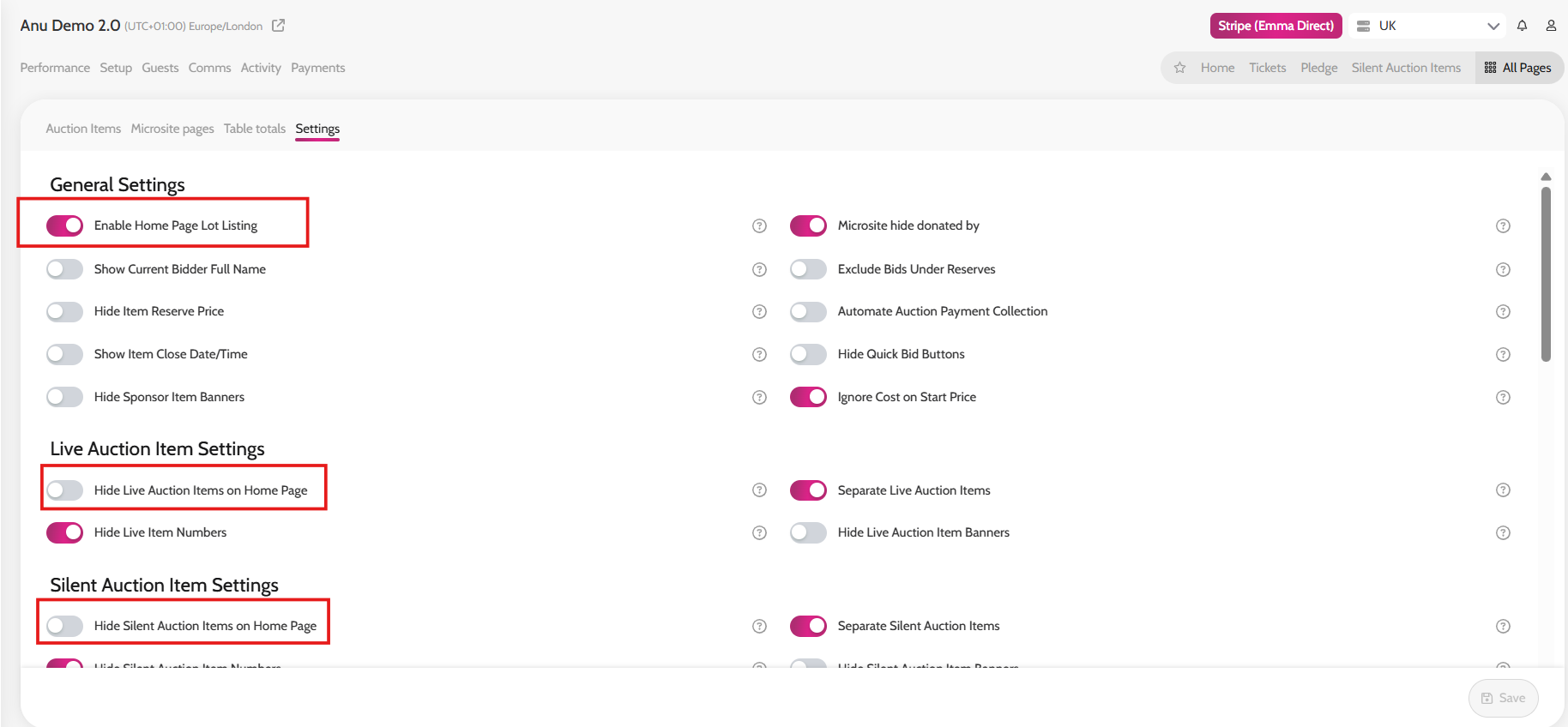
- Go to All Pages > ALL Auction Items
- Click on Settings
- Under General Settings toggle on Enable Home Page Lot Listing
- If you would like to exclude Live Items/Silent Items/Sealed Items from the home page simply toggle on "Hide Silent Items/Sealed Bid Items/Live Items on Home page" under their respective sections